WORKDAY GUIDANCE
Guide your people toward productivity paradise
Workday Guidance sets your workers on the right track with contextual instructions, AI-driven smart suggestions through Workday Illuminate™, streamlined tasks and enhanced user experiences.
WHAT YOU CAN DO
Deliver crystal-clear guidance
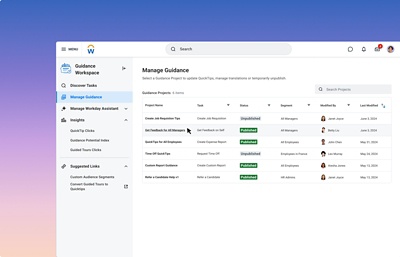
Give step-by-step guidance to help employees complete tasks or highlight features and fields to improve user journeys – at no extra cost. The result? Faster, smoother experiences for all.
-
Smart suggestions
-
QuickTips for explanations
-
Personalised segmentation
-
Insights into end-user data
Better experiences. Better results.
Unlike third-party tools, Workday Guidance requires no deployment, UI upkeep or coding. The best part? It’s accessible and scalable from day one.
Deliver seamless experiences
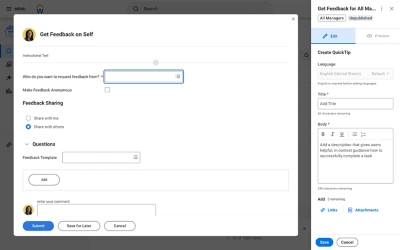
Provide contextual assistance and AI-driven smart suggestions when and where you need them for a smoother user experience with less confusion.
Increase employee engagement
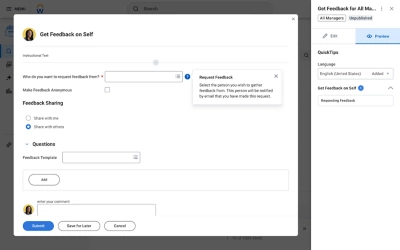
Maintain engagement by simplifying the user experience and personalising content – all while accelerating productivity.
Tailor guidance content
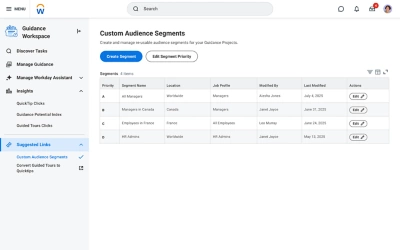
Segment guidance by user type, organisation and location to deliver relevant and helpful experiences.
Unlock more insights
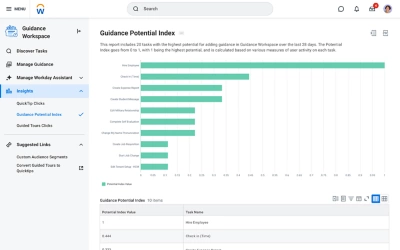
Access insights from Workday end-user data with the Guidance Potential Index – a metric that tracks which content is most valuable.
Deliver seamless experiences
Provide contextual assistance and AI-driven smart suggestions when and where you need them for a smoother user experience with less confusion.
Increase employee engagement
Maintain engagement by simplifying the user experience and personalising content – all while accelerating productivity.
Tailor guidance content
Segment guidance by user type, organisation and location to deliver relevant and helpful experiences.
Unlock more insights
Access insights from Workday end-user data with the Guidance Potential Index – a metric that tracks which content is most valuable.